
For week 5, I began by starting on In Design, which is the application that I will be using to produce my magazine front cover and double page spreads. I set up the pages to the dimensions I needed for my front cover and double page spreads.
I have attached my pages for my front cover and my double page spread.
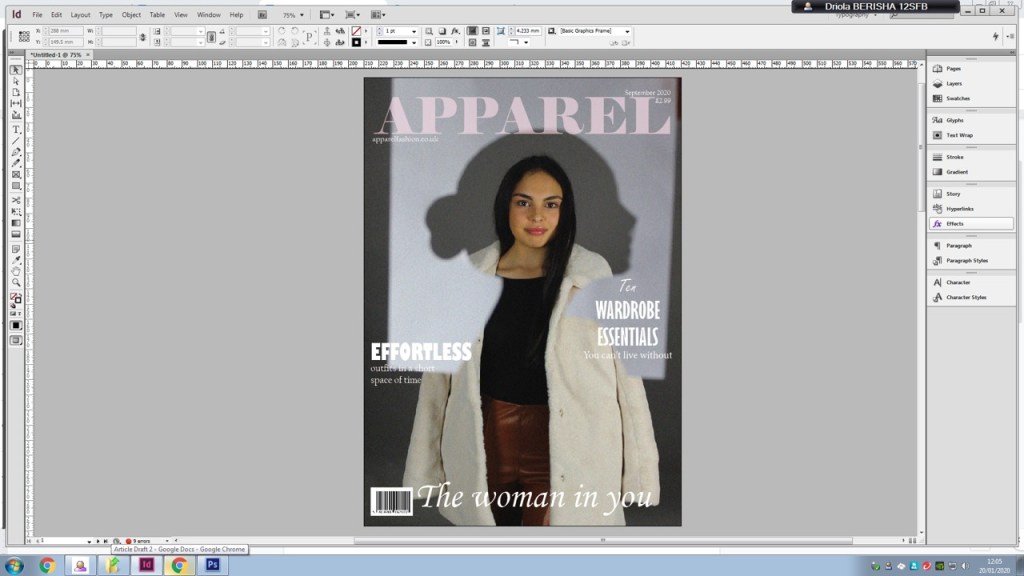
I then played around with the masthead and chose a font for my masthead, changed the colour of it to a light pink and then lowered the opacity of my text to make it more transparent.
Next, I added the month, the price of the magazine and a barcode for my magazine. After this, I added my sell lines to my front cover.
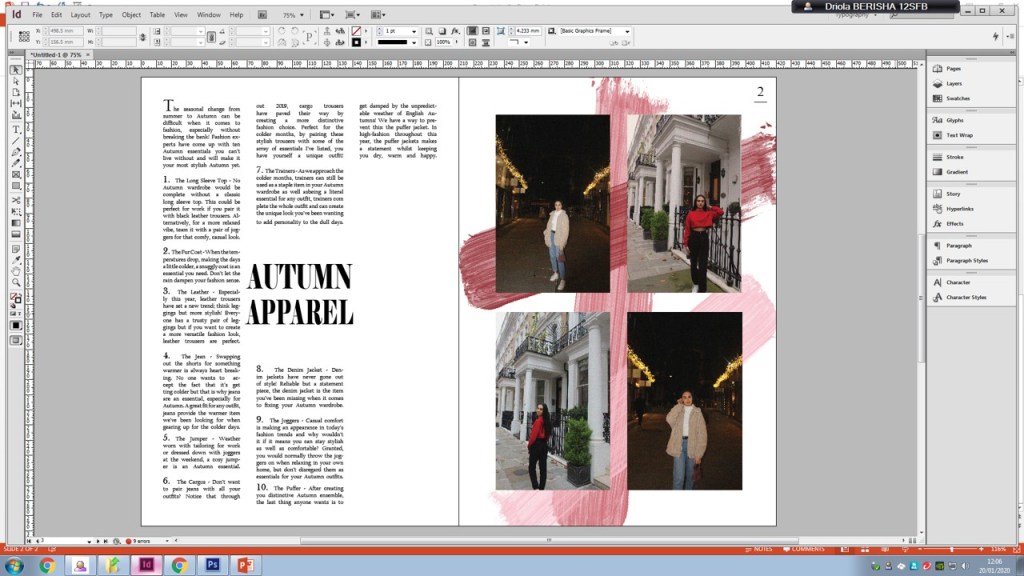
I then moved onto my first double page spread, leaving my front cover half done. I decided to add the pictures on my first double page spread and fix the brush strokes that I was planning to do on the right page. On the left, I added the text from my article that I had written and sorted out all of the font and sizing.
My front cover looked like this:
My first double page spread looked like this:
At the end of week 5 I wanted to start my second double page spread. After adding the page numbers to my first and second double page spread I added the text boxes where I would include my article at a later stage. I then added the images I needed for that double page spread and sorted them to the positions that best suited it. For my second double page spread I had planned to add the word ‘Fashion’ running across the page at the top with the opacity low, so you could see the article text under it, which is what I did next. The reason to why I wanted that going across my page was allow the audience to understand that it is a fashion magazine and what it has to offer.
 Driola Berisha